
Task tracking software · French and English
J-todolist brings task assignment, tracking and approval into one place. No more instructions lost in WhatsApp or scattered Excel sheets: everyone knows what to do and by when, and management sees everything in real time.
Devenez promoteur : gagnez jusqu'à 5 % sur chaque licence
Built for PurchasingLogisticsManagementHRFacilitiesSMEs
- No credit card
- Ready in 2 minutes
- Mobile Money and cards accepted
Sound familiar?
Instructions get lost
Given verbally, by e-mail or on WhatsApp… then forgotten. Nobody knows who was supposed to do what.
Deadlines slip
Delays only show up at the last minute, when it's too late to react.
Hours of reporting
Every week, you have to chase everyone to fill in a tracking spreadsheet.
With J-todolist, every task has an owner, a due date and a history — and alerts go out on their own.
Discover J-todolist in 1 minute
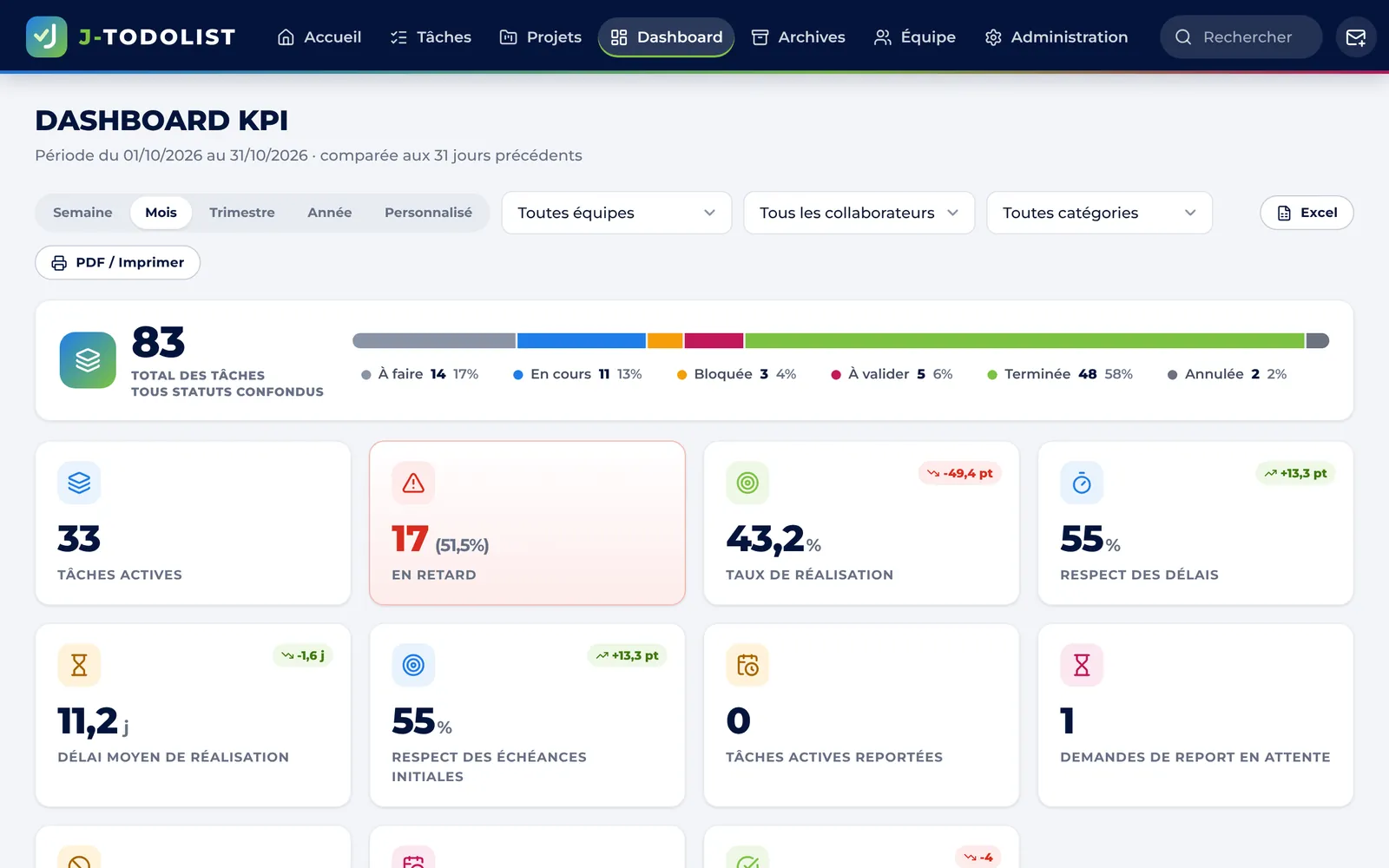
Create a task, track it, get it approved and steer the activity: it is all shown here.
How it works
Three steps, nothing to install.
- 01
Create your workspace
In 2 minutes, with your name and colours. Invite your colleagues by e-mail: they sign in with one click.
- 02
Assign and track
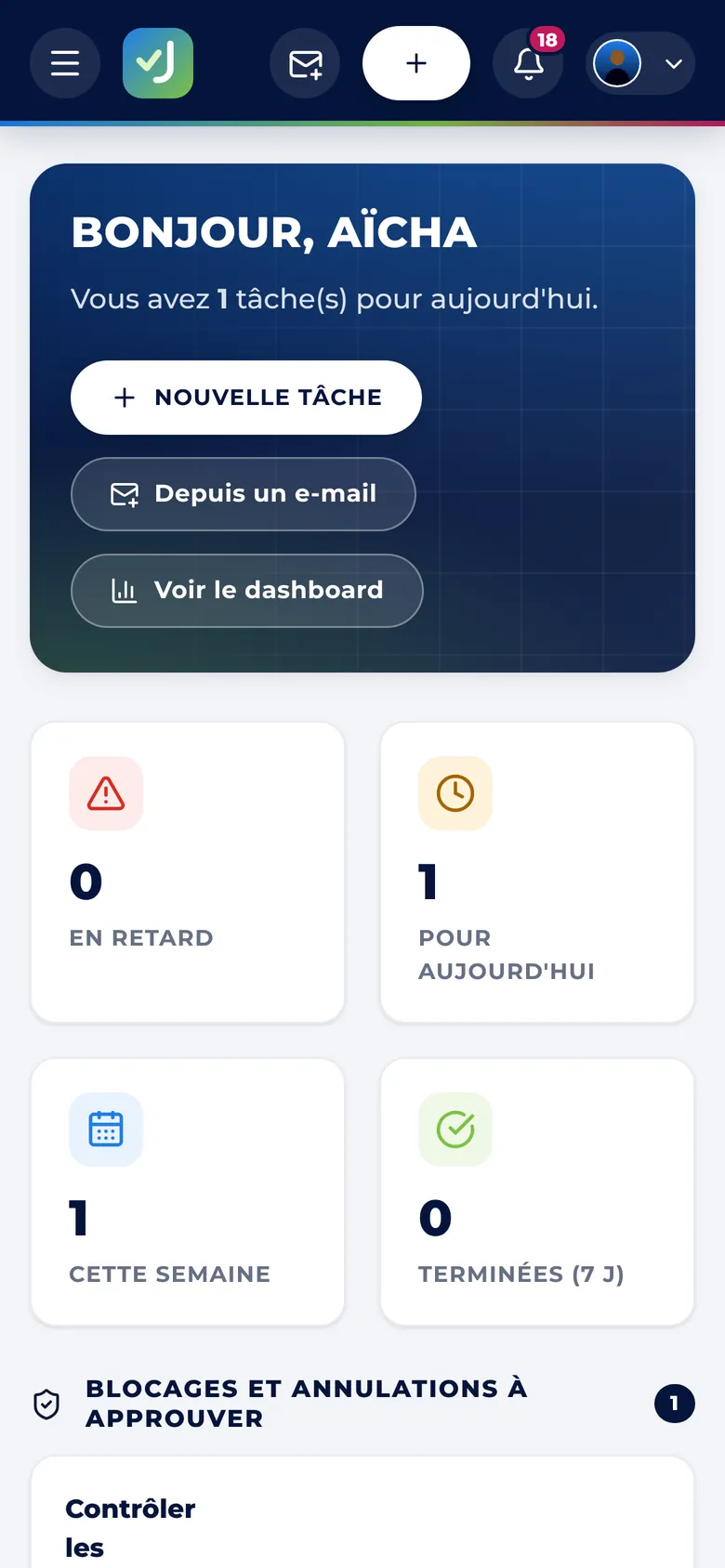
Create tasks with an owner, a due date and a priority. Everyone sees today's priorities; alerts go out automatically.
- 03
Approve and steer
Completed tasks are approved by the chosen approver. The dashboard shows progress and delays in real time.
Everything you need to keep work moving
Complete, easy-to-use features, included in every plan.
Clear ownership
Every task has an owner, a due date, a priority, attachments and a comment thread.
Kanban board
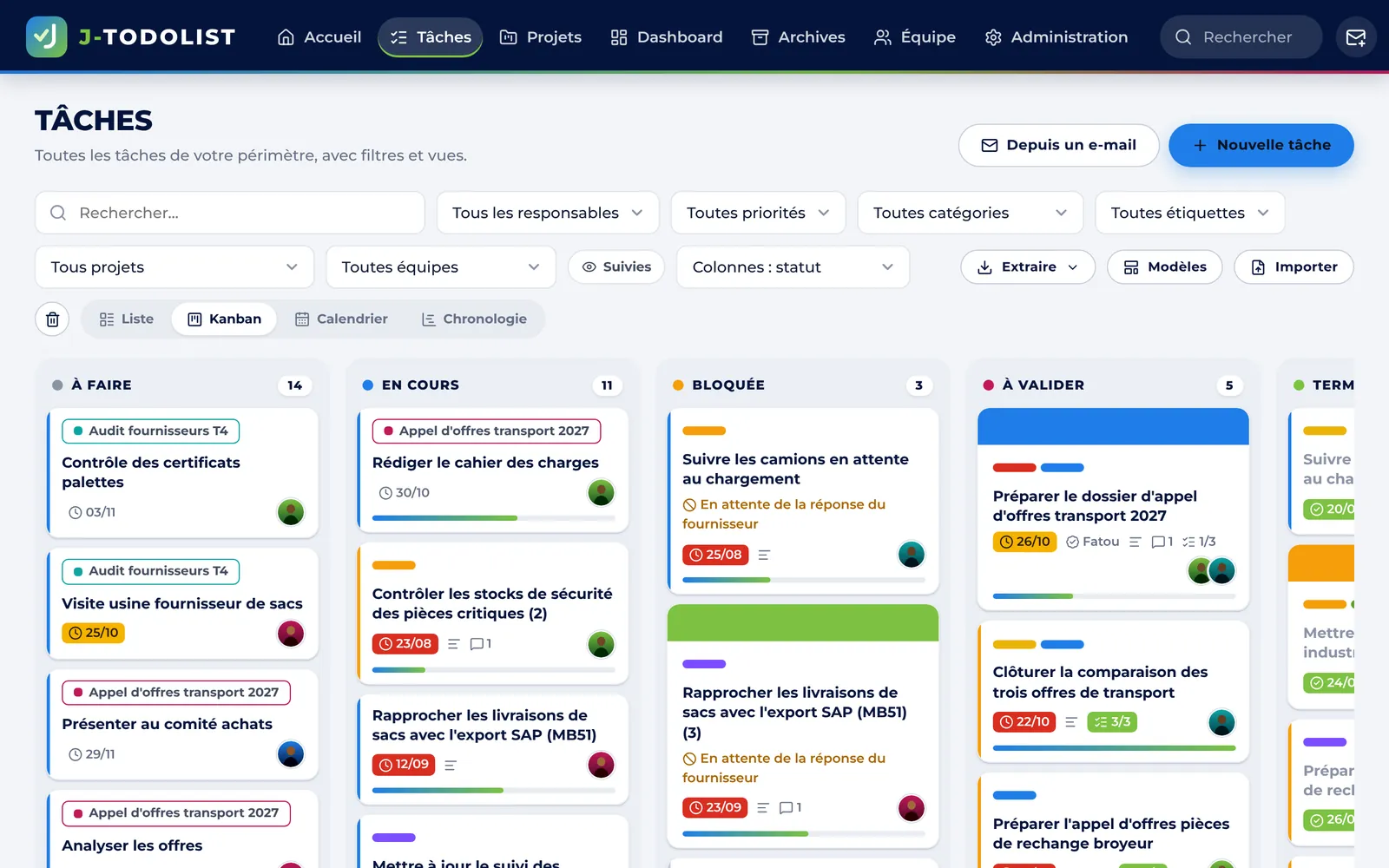
Drag cards from “To do” to “Done”, just like Trello: labels, covers, checklists.
Approval workflow
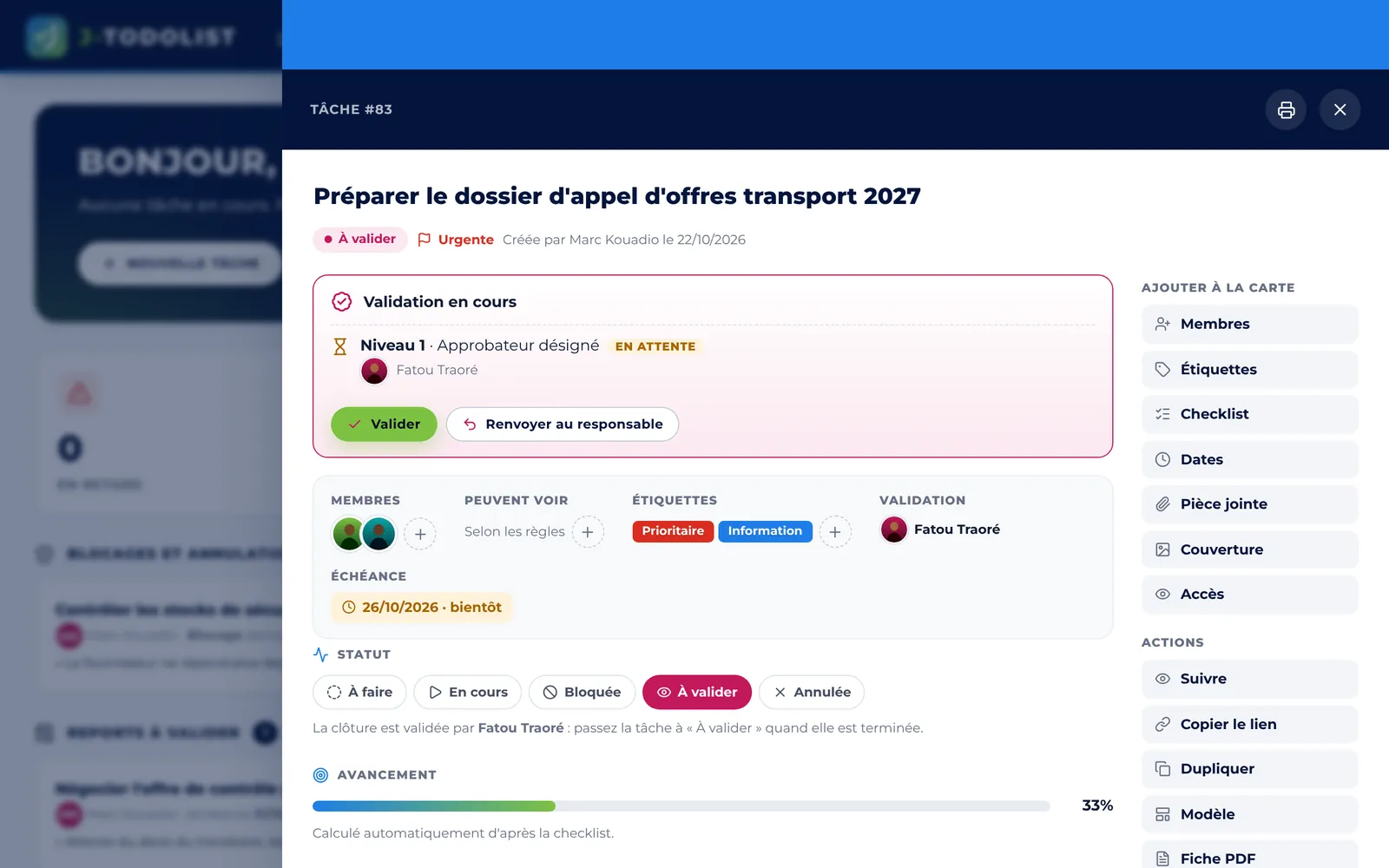
The creator picks the approver; up to 3 approval levels depending on task priority.
KPI dashboard
Completion rate, delays, workload per person and per team, in real time.
Automatic alerts
Reminders before due dates and overdue alerts by e-mail, WhatsApp or SMS, plus a daily digest.
Task from an e-mail
Paste an e-mail: the tool fills in the task (title, due date, owner, action list).
Exports and archives
Excel, CSV and PDF for everyone; full ZIP archives with task sheets and attachments.
Privacy
Private tasks, per-person access, role-based permissions and an activity log.
On mobile
Installs like an app on Android and iPhone — and available on the App Store and Google Play.
Visual organisation
A clear board for the whole team
List, Kanban, calendar or Gantt: everyone picks their view. Cards show the owner, due date, labels and checklist progress.
- Drag and drop between columns
- Filters by person, project, priority
- Projects and subtasks
Approval
Nothing is done until it is approved
The creator chooses the approver. Depending on your rules, a second or third level (manager, management) is added for urgent tasks.
- Approve or send back with a comment
- Full history of every decision
- “Waiting for my approval” list on the home page
For every department in your company
Purchasing & supply chain
Tenders, supplier follow-ups, contract and delivery tracking.
Management
An overview of priorities, delays and team workload.
Facilities & HR
Internal requests, maintenance, onboarding of new hires.
SMEs & firms
Client files, administrative deadlines and day-to-day teamwork.
Security & data
Your data stays yours
J-todolist is built for business requirements: each organisation has an isolated workspace, and each user only sees what concerns them.
For companies subject to strict data protection rules (Ivorian law no. 2013-450, ARTCI, GDPR), J-todolist can be installed on your own servers.
- Encrypted connection (HTTPS) and protected passwords
- Role-based permissions : administrator, manager, member, viewer
- Activity log : sign-ins, changes, exports
- Backups on a regular basis and full export at any time
- On-premise installation available (custom offer)
Simple pricing, in CFA francs
Start for free, then choose the plan that fits the size of your team.
Composez votre offre et recevez un devis personnalisé sous 24 heures.
Programme promoteurs · ouvert à tous
Recommandez J-Todolist, gagnez sur chaque licence
Entrepreneur, consultant, étudiant, comptable, agent commercial… Partagez votre code promo ou votre lien : vos clients obtiennent 3 % de réduction sur leur première licence, et vous touchez 3 % du prix de leur première licence (jusqu'à 5 % aux grades Argent et Or).
- 1Inscrivez-vous gratuitement
Nom, prénom, e-mail, téléphone : votre code promo et votre lien sont créés immédiatement.
- 2Partagez votre code
WhatsApp, réseaux sociaux, rendez-vous clients : chaque inscription avec votre lien ou votre code vous est attribuée.
- 3Suivez vos gains
Votre espace promoteur liste vos clients, leurs achats et le statut de paiement de chaque commission, versée par Mobile Money.
Frequently asked questions
How long does it take to get started?
Two minutes: you create your workspace, invite your colleagues by e-mail and create your first tasks. Nothing to install.
Does the free trial commit me to anything?
No. The trial lasts 14 days, with no credit card. At the end, you choose a plan or simply stop; your data is kept while you decide.
Which payment methods do you accept?
Wave or Orange Money. Your licence is activated as soon as payment is confirmed, and a receipt is e-mailed to you. Companies can also pay by bank transfer or purchase order.
Does payment renew automatically?
No. You pay for a period (one month or one year); a few days before it ends, the administrator receives a reminder to renew. Remaining days are never lost.
Where is our data stored?
On secure servers (encrypted HTTPS connection, daily backups). For companies that require it, J-todolist can also be installed on your own servers.
Do my colleagues need training?
The tool is easy to pick up in a few minutes. A complete user guide is provided, and the Enterprise plan includes training for your teams.
Can we use it on a phone?
Yes. J-todolist works in any smartphone browser, can be added to the home screen like an app, and is available as a mobile app.
What happens if we exceed the number of users?
You simply upgrade to the next plan from your workspace; the new licence takes over with no data loss.
Ready to get your tasks in order?
Create your workspace in 2 minutes. 14 days free, no commitment.